How to Choose On Air Timer Software
A missed post roll, a late news hit, a host talking over the top of the hour – timing mistakes rarely come from lack of skill. More often, they come from poor visibility. That is exactly where on air timer software earns its place in a studio. When time information is clear, reliable, and always in view, teams make better decisions under pressure.
For professional radio, web streaming, and production environments, a timer is not just a clock with bigger digits. It is an operational tool. It helps presenters pace breaks, gives producers confidence during handoffs, and supports technical staff who need predictable timing across different parts of the chain. The difference between a useful display and a frustrating one usually comes down to how well the software fits the real workflow inside the studio.
What on air timer software needs to do in practice
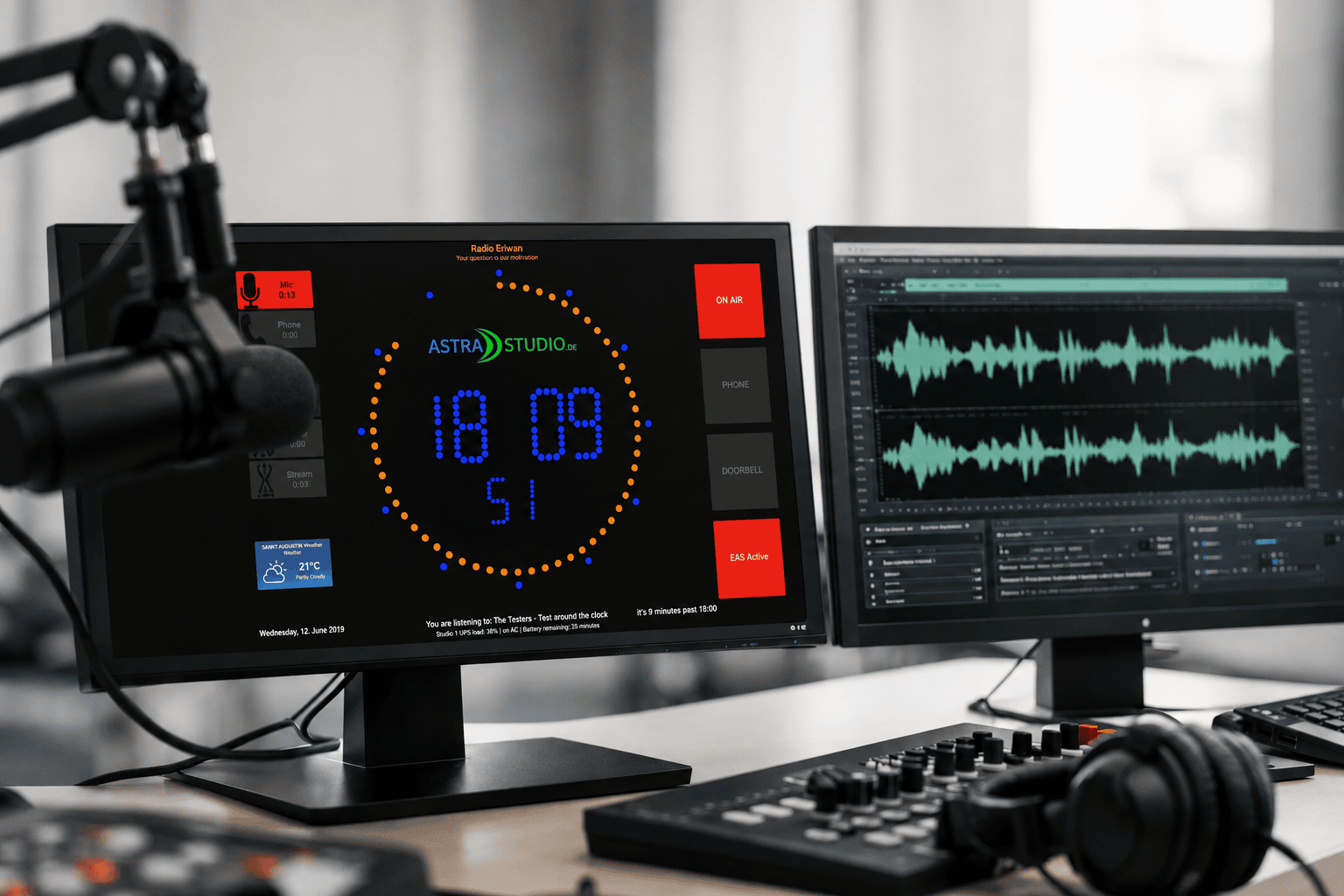
In a real broadcast setup, timing information has to be understood at a glance. Nobody in a live control room wants to decode a cluttered interface or wonder whether the timer is synchronized correctly. Good on air timer software presents the right information with minimal effort from the user. That may be a countdown to a fixed event, a stopwatch for segment timing, a current clock display, or a combination shown on dedicated screens around the studio.
Visibility matters as much as function. A timer that looks fine on a desktop monitor can become unreadable on a wall-mounted display across the room. Size, contrast, color control, and layout flexibility are not cosmetic extras. They directly affect how quickly operators and talent can react.
The same applies to reliability. In live production, software has to start cleanly, stay stable, and remain legible without constant maintenance. If a timer display needs regular intervention, it becomes one more thing the team has to babysit during air time. That is the opposite of what a studio tool should do.
The biggest buying mistake: choosing for features, not workflow
Many buyers start by comparing feature lists. That makes sense at first, but it can lead to the wrong decision. A long list of functions does not help if the software is awkward to configure, tied to one operating system, or difficult to place on the hardware already in use.
A better starting point is the workflow itself. Ask where the timer will be seen, who depends on it, and what kind of timing information matters most. A solo web radio operator may only need a large countdown and clean clock display. A multi-room studio may need several displays with different roles – one for talent, one for production, one for technical monitoring.
This is where flexibility becomes more valuable than feature volume. Software that can be adapted to different displays, different room layouts, and different operating systems usually delivers more long-term value than a rigid tool with a larger spec sheet.
Key requirements for on air timer software
The right on air timer software should fit into existing infrastructure without forcing unnecessary changes. For many broadcast and streaming teams, that starts with platform support. Windows is common, but not universal. Some studios prefer Linux-based systems for dedicated signage. Others want to use macOS in production environments or low-power Raspberry Pi devices for cost-efficient display endpoints.
Cross-platform availability reduces friction. It gives technical teams more freedom when planning installations and helps keep hardware decisions aligned with the broader studio setup. It also makes scaling easier. If you want to add another display in a booth, edit suite, or voice room, you should not have to redesign the whole system around a single operating system requirement.
Installation is another practical checkpoint. Some studios want a standard installer. Others prefer preconfigured images for fast deployment on dedicated hardware. In both cases, the value is the same: less time spent preparing systems, more time spent using them.
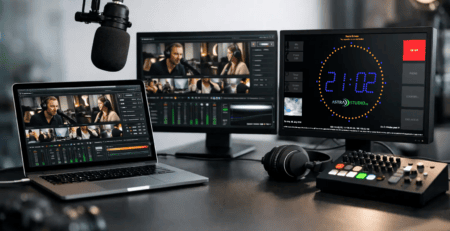
Customization also matters more than many buyers expect. Different teams need different visual priorities. One studio may want a countdown front and center. Another may need a prominent on-air indicator with secondary time elements. Branding can matter too, especially in visible production spaces, streaming studios, or client-facing environments. A display that matches the visual identity of the operation looks more professional and feels intentional rather than improvised.
Integration is where good software proves itself
A timer can look polished in a product demo and still create problems once it reaches the studio. The real test is integration. Can it work with the screens you already use? Can it run on dedicated small-form devices? Can it be positioned in talent view without introducing a noisy, oversized computer into the room? Can the layout be adjusted without custom coding every time your setup changes?
Studios rarely stay static. Production desks move. New rooms are added. Hybrid workflows appear. Remote contributions become part of the daily routine. Software that supports flexible integration handles these changes better. That may mean support for different display formats, easier deployment on compact hardware, or adaptable visual modules that can be rearranged for specific use cases.
This is also where a specialist provider has an advantage. Teams that work closely with broadcast environments understand that a timer is often part of a larger visual ecosystem. It may sit alongside status indicators, studio signage, weather widgets, clocks, or custom display elements. If the system can evolve with those needs, it stays useful for much longer.
When standard software is enough, and when it is not
For many radio stations, streaming setups, and production rooms, a standard on air timer solution is the right choice. If your core need is clear studio timing, fast deployment, and straightforward customization, a ready-to-use product usually gives the best balance of speed and cost. You can get operational quickly without building or commissioning a tool from scratch.
But there are limits. Some facilities need very specific visual logic, custom triggers, branded screen designs, or integration with internal workflows. In those cases, standard software may cover 80 percent of the need but still leave operational gaps. That is where modular customization or project-based development becomes relevant.
The trade-off is simple. Standard products shorten implementation and reduce complexity. Customization increases fit, but it also requires clearer planning and closer coordination. Neither approach is automatically better. The right choice depends on how unique your workflow actually is and how critical those differences are during live operation.
Why Raspberry Pi and dedicated display hardware matter
Not every studio wants full desktop systems attached to every display. Dedicated low-power hardware can be a better fit, especially for always-on timer screens. It is quieter, more efficient, and often easier to mount cleanly in production spaces.
This is one reason Raspberry Pi-based deployment has become attractive for studio displays. It supports compact installations, keeps energy use low, and works well when the software is designed for that environment from the start. Preinstalled system images can make setup even faster, especially for teams that want repeatable deployment across several rooms.
That does not mean Raspberry Pi is always the answer. In larger environments, standard PCs or existing studio machines may still make more sense. The key point is optionality. Good timer software should support practical hardware choices instead of locking the customer into a narrow deployment model.
What to look for before you buy
Before choosing a system, it helps to test it against real studio questions rather than marketing language. Can your team read it instantly from the positions that matter? Can it be installed on the hardware you already trust? Can it be adapted if your room layout changes six months from now? Can it deliver a professional visual result without forcing a custom development project on day one?
It is also worth thinking beyond the first screen. Many buyers only plan for one timer display, then later realize they need matching screens in a control room, booth, newsroom, or streaming corner. Software that can scale across those scenarios saves time and keeps the visual language consistent.
Providers with both product and development expertise can be especially useful here. If your needs are simple, you can move quickly with a standard solution. If your setup grows more complex, you already have a path toward deeper customization. That combination is one reason specialized vendors such as astrastudio are relevant for professional broadcast environments where flexibility and simple installation both matter.
The best timer software is rarely the one with the flashiest interface. It is the one your team stops thinking about because it is always visible, always clear, and always ready when the clock starts working against you. Choose the tool that fits your studio as it operates now, but leave enough room for the way it will operate next.